
Approve. Tap. Posted.
Approve a post and Tapost publishes it to your Facebook Page, Instagram, TikTok and Threads — right away or at the time you schedule. No downloading and re-uploading.
Connect once. Publish from the post.
Posting a finished design usually means downloading it, opening each app and pasting the caption again. Tapost posts it straight from the post you approved.
Connect your accounts
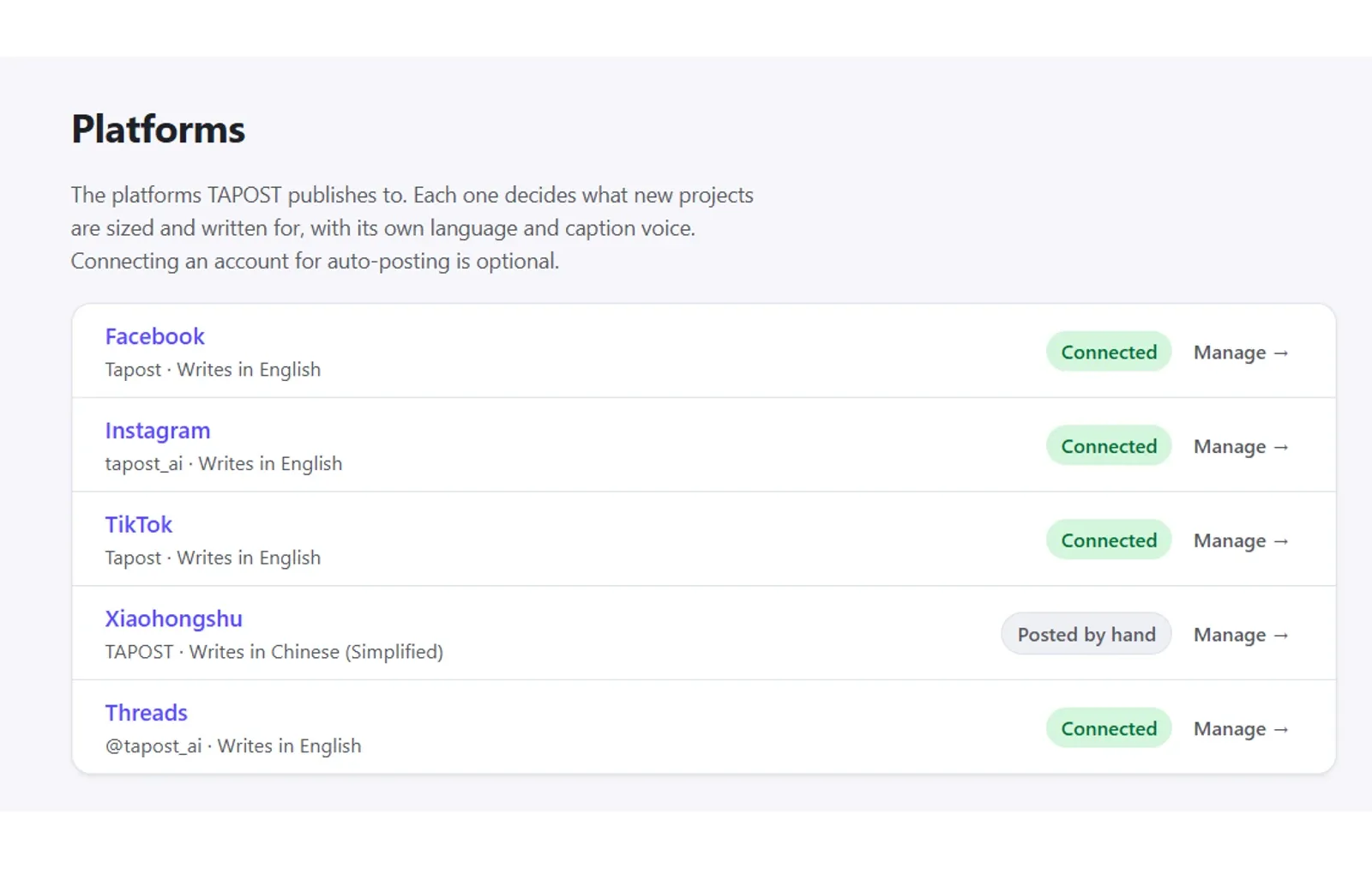
On your brand’s Platforms page, click Connect, sign in on the platform’s own login screen and approve. You do it once.
Approve the post
Review and approve it as you do today — in your Telegram group or on the web.
Post now or schedule
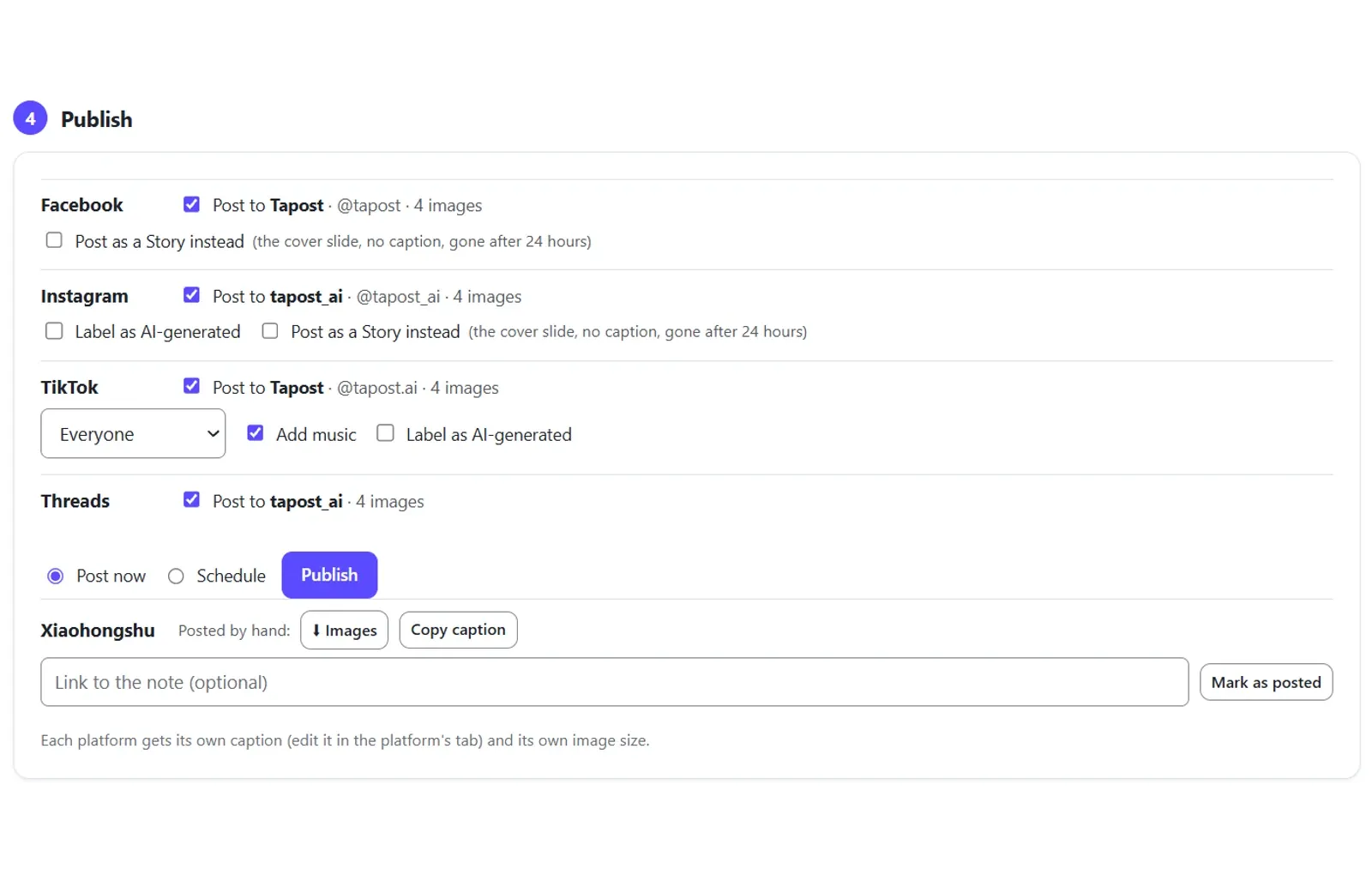
Open the approved post, tick the accounts, choose Post now or Schedule (a date and time in your own time zone), and press Publish.
Posted for you on four platforms
Single images and carousels go to all four, and Stories to Instagram and Facebook. Xiaohongshu uses Manual Posting: Tapost gets everything ready, and you post it.
- Posted for you
Facebook
Images, carousels and Stories
Facebook Pages. If you manage several, you pick which one to connect.
- Posted for you
Instagram
Images, carousels and Stories
Tapost checks each image is a shape Instagram accepts before it posts.
- Posted for you
TikTok
Images and carousels
Choose who can see it — Everyone, Friends, Followers or Only me — and add music.
- Posted for you
Threads
Images and carousels
With the caption Tapost wrote for Threads.
Xiaohongshu
RED · 小红书
No tool can post to Xiaohongshu for you, so Tapost gets the post ready: download the images, copy the caption, post it yourself and mark it as posted.
From approved to posted, without leaving Tapost
Each platform gets its own caption — Tapost already writes one per platform — and its own image size.
Connect once, with the platform’s own sign-in
Add a platform on your brand’s Platforms page and click Connect. You sign in on the platform’s own login screen and approve — Tapost never sees or stores your social passwords.
- One account per platform, per brand
- Agencies: each client brand connects its own accounts
- Anyone on the brand’s team can connect accounts and publish
- Disconnect any time — posts scheduled to that account are cancelled
Post now, or pick a time
Open the approved post and tick the connected accounts. Choose Post now, or Schedule it for a date and time in your own time zone, then press Publish.
- Each platform gets its own caption and image size
- Carousels go out as multi-image posts
- TikTok: choose who can see it and add music
- Xiaohongshu, by Manual Posting: ⬇ Images and Copy caption, then Mark as posted
- Cancel a scheduled post any time before it goes out
Watch it go out
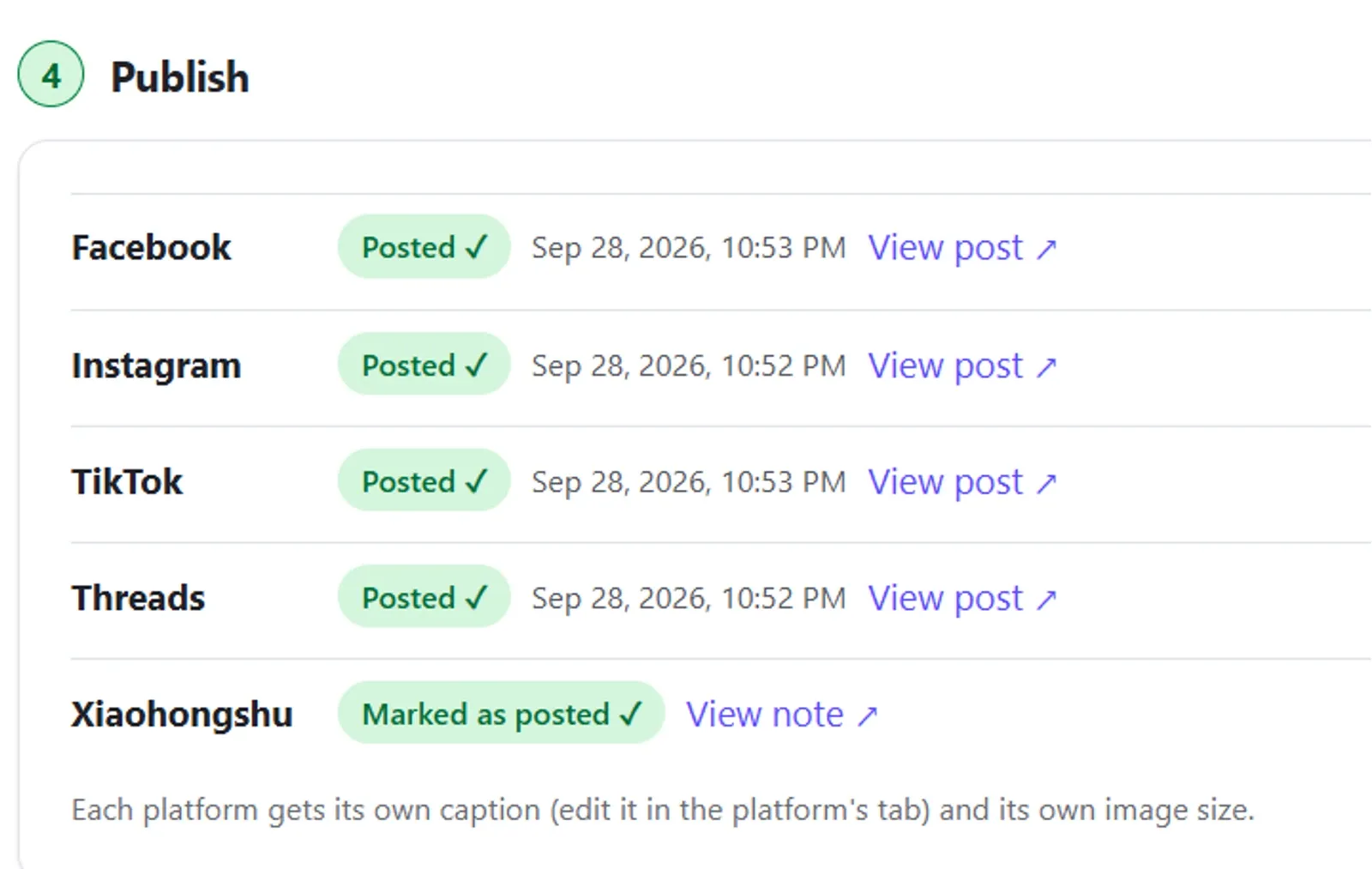
Each post shows where it’s up to, with a View post link once it’s live. If a platform refuses a post, Tapost shows the platform’s reason so you can fix it.
- Scheduled → Posting… → Posted ✓
- View post opens it on the platform
- Using the Telegram bot? Your group gets a ✅ posted message
On time, once, as approved
Every post goes out because someone on your team pressed Publish — and it goes out the way they approved it.
Checked before it goes out
If a caption is too long for a platform, or Instagram won’t accept an image’s shape, Tapost says so before it posts, so you can fix it.
What you approved is what posts
Tapost keeps the exact images you approved. Edit the post afterwards and it warns you the scheduled version is older, so you can cancel it and publish again.
Never posted late
A post that can’t go out within an hour of its slot isn’t posted late. It’s marked as not posted, and you see why.
Never posted twice
Each scheduled post goes out once.
Cancel any time
Changed your mind? Cancel a scheduled post any time before it goes out.
Always a person’s click
Tapost doesn’t post on its own. Every post goes out because someone on your team pressed Publish.
Questions about Auto-post
Will Tapost post without me?+−
Does Tapost see my social media passwords?+−
Can Tapost post to Xiaohongshu?+−
What happens if a post can’t go out?+−
Can a post carry the platform’s AI label?+−
Stop downloading and re-uploading.
Sign up free, or book a 20-minute demo and see Auto-post on your own brand.